
Below content

TechBabble

  • Babbles
  • Web Publishing
    • Google Analytics
    • Canva
    • Capcut
  • Accessible Gaming
    • Xbox Adaptive Controller
    • Xbox Adaptive Joystick
  • Social Media and Messaging
    • WhatsApp
    • Telegram
    • Signal
    • Snapchat
    • Messenger
    • Yahoo Mail
  • Peripherals
    • Corsair
      • Corsair Harpoon
    • Logitech
      • Logitech G502
      • Logitech MX Master 3S
      • Logitech C925e
    • Fujitsu
      • ScanSnap iX1300
      • ScanSnap iX1600
      • ScanSnap S1100
    • Mad Catz
      • C.A.T. 12 Switch Controller
      • M.2.X. PRO
    • Razer
      • Razer Basilisk V3 X HyperSpeed
  • About TechBabble
    • About
    • Privacy Policy
    • Terms of Service
    • Contact
  • Comparison Tables
    • Smart Doorbells

TechBabble

  • Babbles
  • Web Publishing
    • Google Analytics
    • Canva
    • Capcut
  • Accessible Gaming
    • Xbox Adaptive Controller
    • Xbox Adaptive Joystick
  • Social Media and Messaging
    • WhatsApp
    • Telegram
    • Signal
    • Snapchat
    • Messenger
    • Yahoo Mail
  • Peripherals
    • Corsair
      • Corsair Harpoon
    • Logitech
      • Logitech G502
      • Logitech MX Master 3S
      • Logitech C925e
    • Fujitsu
      • ScanSnap iX1300
      • ScanSnap iX1600
      • ScanSnap S1100
    • Mad Catz
      • C.A.T. 12 Switch Controller
      • M.2.X. PRO
    • Razer
      • Razer Basilisk V3 X HyperSpeed
  • About TechBabble
    • About
    • Privacy Policy
    • Terms of Service
    • Contact
  • Comparison Tables
    • Smart Doorbells
  • Yahoo Mail

How to Enable and Customise Yahoo Mail Signature
by Mia Laurent · Published 02/03/2026 · Updated 02/03/2026

Applies to
Yahoo Mail

Last updated
2 March 2026


Problem

You want your emails to automatically include your name, contact details, or company information, but you are unsure how to set up a signature in Yahoo Mail. Without a signature, you may need to manually type your details at the end of every message.

Setting up a professional email signature saves time and ensures consistency.

Solution

Enable the signature feature within Yahoo Mail settings and customise it with your preferred text, formatting, and contact information.


Step-by-step instructions

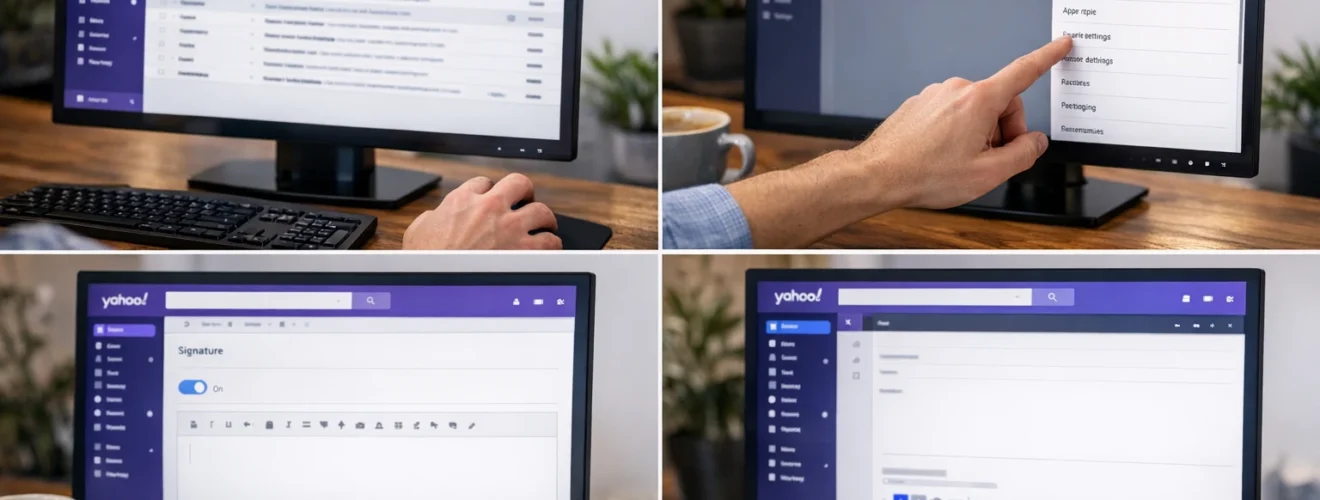
Open Yahoo Mail

Go to:

https://mail.yahoo.com

Log in to your account.


Access settings

Click the Settings icon in the top right corner.

Select More Settings.

From the left menu, choose Writing email.


Enable the signature feature

Locate the Signature section.

Turn on the toggle for your email account.

A text box will appear where you can enter your signature.


Create your signature

Enter your desired signature details such as:

Your full name
Job title
Company name
Phone number
Website
Social media links

Use the formatting toolbar to adjust font style, size, bold text, or add links.


Save your changes

Once complete, your signature will automatically appear at the bottom of new emails.

Compose a new message to confirm it appears correctly.


Set different signatures if needed

If you have multiple Yahoo email accounts linked, you can create separate signatures for each account within the same settings page.


Optional methods or tools

  • Use simple formatting for a professional appearance
  • Add clickable website links
  • Include a company logo image if supported
  • Test your signature by sending yourself a sample email

Best practices or tips

  • Keep signatures concise and professional
  • Avoid using excessive colours or large images
  • Ensure contact details are accurate
  • Update your signature when job roles change
  • Review how your signature appears on mobile devices

Adding a signature in Yahoo Mail through https://mail.yahoo.com ensures every email you send includes consistent contact information. This improves professionalism and saves time when communicating regularly.

By customising your signature with essential details and clean formatting, you create a clear and reliable email identity. Once enabled, Yahoo Mail automatically inserts your signature into outgoing messages for convenience and consistency.

Tags: customise Yahoo Mail signatureYahoo Mail email signature setupYahoo Mail signatureYahoo Mail usage guideYahoo Mail writing settings

Follow:

  • Next story How to Set Up Auto Reply or Holiday (Vacation) Response in Yahoo Mail
  • Previous story How to Attach Files and Send Large Attachments in Yahoo Mail

Recent Posts

  • How to Take a Screenshot on Different Operating Systems
  • How to Take a Screenshot on a Mac
  • How to Take a Screenshot in Windows
  • How to Save Back Up and Restore CapCut Projects
  • How to Export Videos in CapCut for TikTok YouTube and Instagram
  • How do I use categories and tags correctly in WordPress?
  • How do I mount and position the Logitech C925e webcam for the best angle and framing?
  • How do I check the battery level on the Corsair Harpoon?
  • How do I reset the Mad Catz M.2.X PRO to factory defaults?
  • Mad Catz C.A.T. 12 Ergonomic RGB Switch Controller Babble

  • Popular Posts
  • Recent Posts
  • Image and Video Editing / Utility

    How to Take a Screenshot on Different Operating Systems

    09/03/2026

  • Image and Video Editing / Utility

    How to Take a Screenshot on a Mac

    09/03/2026

  • Image and Video Editing / Utility

    How to Take a Screenshot in Windows

    09/03/2026

  • Capcut

    How to Save Back Up and Restore CapCut Projects

    05/03/2026

  • Capcut

    How to Export Videos in CapCut for TikTok YouTube and Instagram

    05/03/2026

  • MDT

    How do I add drivers to MDT?

    20/05/2025

  • MDT

    How do I configure a Task Sequence to format and partition the hard drive?

    20/05/2025

  • Messenger

    How to Clear Messenger Cache and Manage Storage on Android & iPhone

    01/10/2025

  • Messenger

    How do I update Facebook Messenger to the latest version?

    01/10/2025

  • Messenger

    How do I manage Messenger notifications on my phone?

    01/10/2025

TechBabble © 2026. All Rights Reserved.

Powered by
►
Necessary cookies enable essential site features like secure log-ins and consent preference adjustments. They do not store personal data.
None
►
Functional cookies support features like content sharing on social media, collecting feedback, and enabling third-party tools.
None
►
Analytical cookies track visitor interactions, providing insights on metrics like visitor count, bounce rate, and traffic sources.
None
►
Advertisement cookies deliver personalized ads based on your previous visits and analyze the effectiveness of ad campaigns.
None
►
Unclassified cookies are cookies that we are in the process of classifying, together with the providers of individual cookies.
None
Powered by