
How to Set Up Auto Reply or Holiday (Vacation) Response in Yahoo Mail
Applies to
Yahoo Mail
Last updated
2 March 2026
Problem
You are going on holiday or will be unavailable and want people who email you to receive an automatic response. Without an auto reply, senders may not know you are away, which can cause delays or missed expectations.
Setting up a vacation response ensures anyone who emails you receives a clear notification of your absence.
Solution
Enable the vacation response feature in Yahoo Mail settings and customise your automatic reply message with dates and contact information.
Step-by-step instructions
Open Yahoo Mail
Go to:
Log in to your account.
Access vacation response settings
Click the Settings icon in the top right corner.
Select More Settings.
Choose Vacation response from the left side menu.
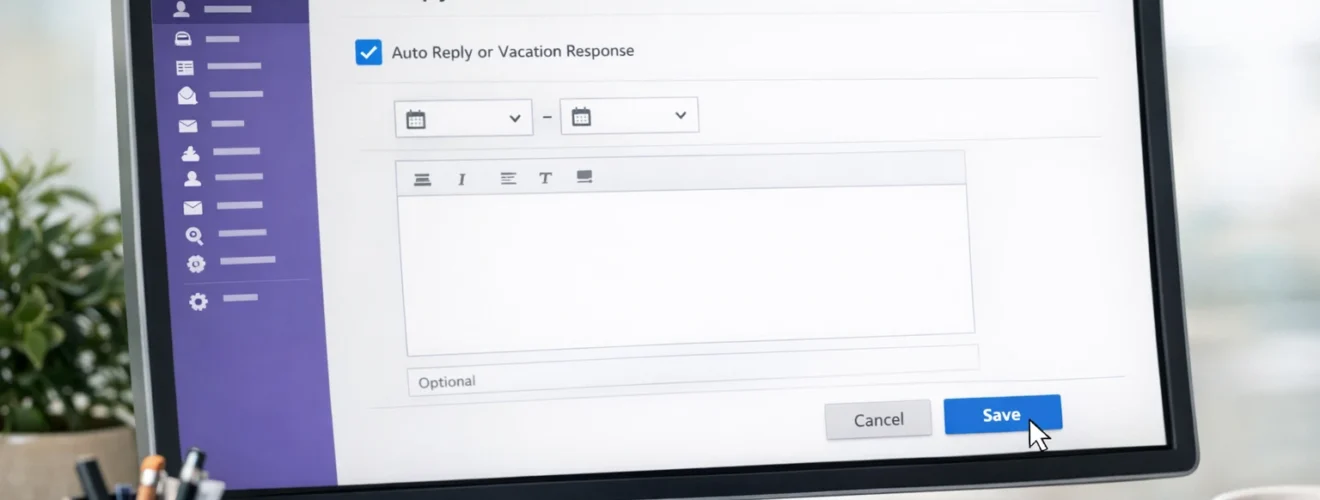
Turn on vacation response
Toggle Vacation response to On.
Set the start date and end date for your automatic reply.
Write your auto reply message
Enter a clear message such as:
The dates you will be away
When you expect to return
Alternative contact details if urgent
Keep the message professional and concise.
Optional custom message for specific domains
Yahoo allows you to send a different message to specific email domains if needed.
You can enable this option and customise accordingly.
Save your settings
Once configured, click Save.
Your automatic reply will activate based on the selected dates.
Test your vacation response
Send a test email from another account to confirm the auto reply works correctly.
Optional methods or tools
- Set reminders to disable auto reply after returning
- Keep messages short and professional
- Avoid sharing excessive personal details
- Use a generic contact address for urgent matters
Best practices or tips
- Always set clear return dates
- Avoid stating you are travelling alone
- Disable auto reply once you return
- Update your email signature if needed
- Review settings before long absences
Setting up an auto reply in Yahoo Mail through https://mail.yahoo.com ensures senders are informed when you are unavailable. This helps manage expectations and maintain professional communication.
By clearly stating your return date and providing alternative contact information where appropriate, you prevent misunderstandings. Once enabled, Yahoo Mail automatically handles responses until you return and disable the feature.


